This guide will walk you through installing and setting up r2modman, the mod manager you'll need for playing modded games.
1. Download r2modman
- 1 Go to thunderstore.io/package/ebkr/r2modman
- 2 Click the Manual Download button

Click on Manual Download to get the application
- 3 Save the zip file to your computer

Save the file to your computer
r2modman zip is now downloaded!
2. Extract r2modman zip
- 1Navigate to your Downloads folder to find the zip file
- 2The file will be named something like ebkr-r2modman-3.1.57.zip
- 3Right-click the zip file and choose Extract All...
- 4Make sure "Show extracted files when complete" is checked
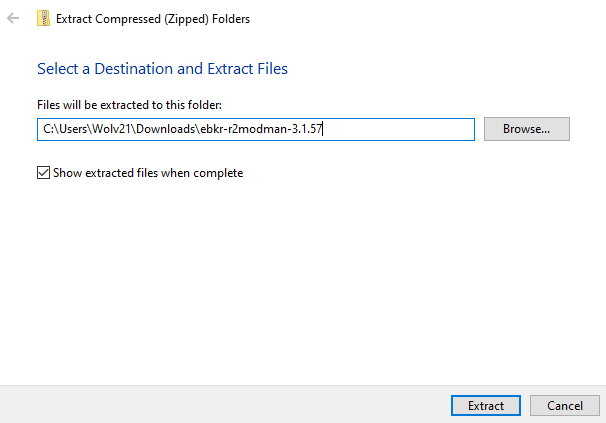
Extract zip
- 5Click Extract

Leave this window open
r2modman setup files have been extracted!
3. Install r2modman
- 1In the new window with extracted files, double-click r2modman-Setup-3.1.57.exe (or your version)
Double-click the r2modman-setup exe file
- 2Follow the installation prompts
- 3Click Next

- 4Browse to a location that works for you. C:\Program Files\ is usually default. Then click Install
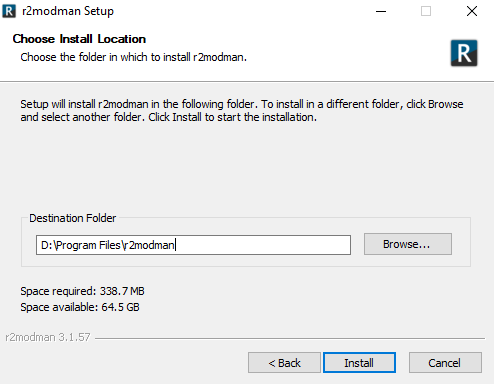
Choose a location that has enough space
- 5Uncheck "Run r2modman" at the end of installation
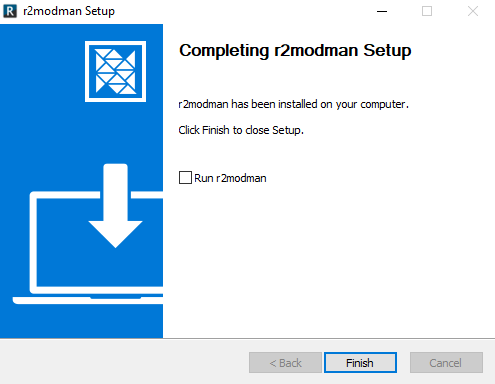
Uncheck Run r2modman, unless you want to run it right now
- 6Click Finish
You are now ready to launch r2modman!
4. Run r2modman
- 1Find r2modman in your Start menu or desktop
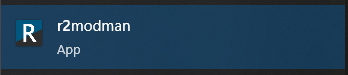
r2modman app
- 2Launch the application

r2modman launched
You're ready to install mods using the profile codes from the r2modman Profiles page.